


TL;DR: A laptop computer cart allows workers to bring computing directly to the point of work, helping reduce unnecessary travel and keeping tasks moving efficiently across warehouses, manufacturing floors, and other operational environments. Choosing the right laptop computer cart requires evaluating how it will be used, what devices it needs to support, and whether it can handle the demands of daily operations.
- Align the laptop computer cart with your workflow, including tasks like picking, labeling, inventory updates, or quality checks
- Ensure sufficient mobile power so laptops and peripherals can operate for a full shift
- Select carts with the mobility and durability required for industrial environments
- Prioritize ergonomic design to support worker comfort and productivity
- Plan for integrated scanners, printers, and future workflow changes to maximize long-term value.
In warehouses, manufacturing plants, and healthcare supply chain environments, workers rely on real-time data to do their jobs accurately and efficiently. But when computers are tied to fixed workstations, employees often must walk back and forth to access systems, print labels, or scan inventory.
A laptop computer cart solves this challenge by turning a laptop into a mobile workstation that travels with the worker. Instead of bringing work to the computer, the computer moves to the work no matter where it is.
However, not all laptop carts are designed for demanding operational environments. The wrong configuration can lead to battery limitations, awkward workflows, or equipment that doesn’t hold up to daily use.
If you're looking for the best rolling cart for a laptop computer, this article will help you identify the features that matter most and ensure you choose a solution that supports your facility’s workflow.
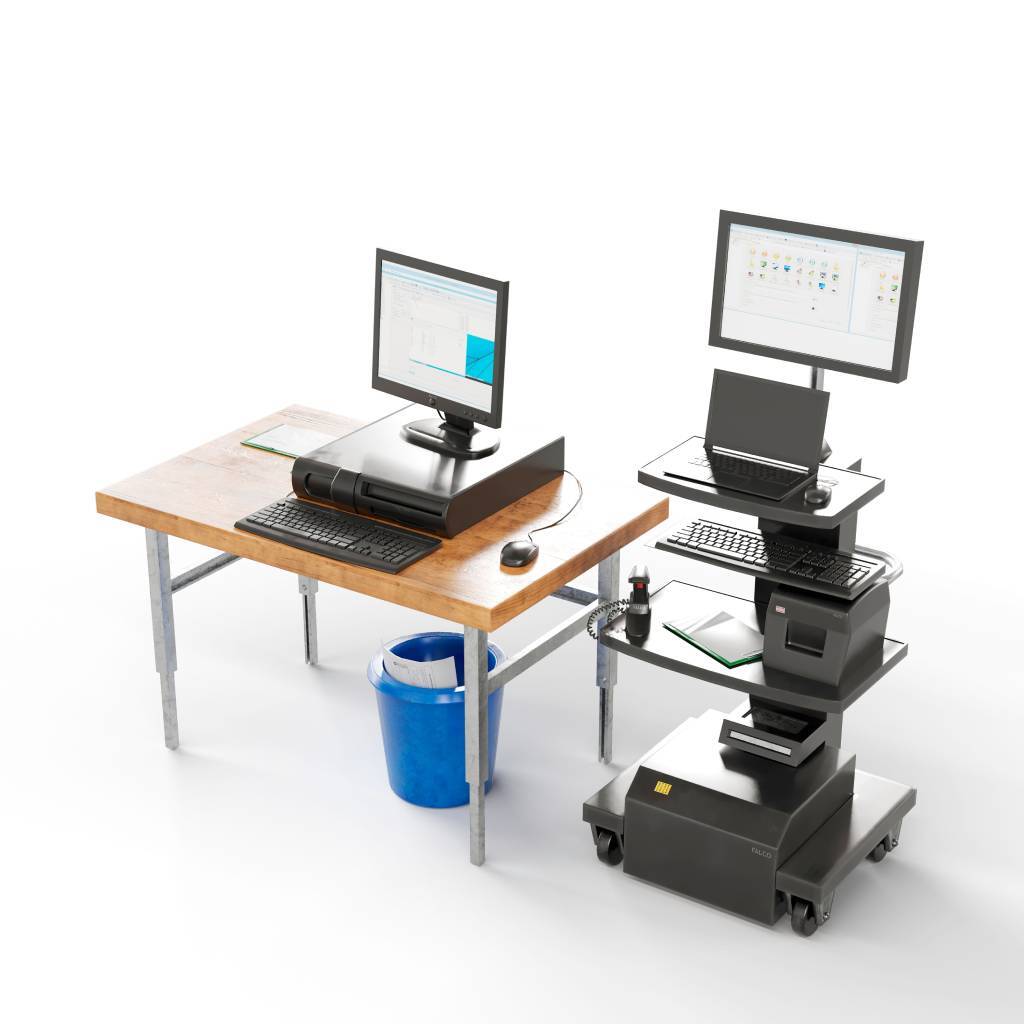
How to Build the Best Computer Laptop Cart
1. Start with the Workflow
Before selecting a cart, it’s important to understand how it will actually be used on the floor. The right configuration depends entirely on the tasks workers will perform and where those tasks occur.
In many operations, carts are deployed to eliminate wasted walking time and bring systems closer to the work itself. For example, warehouse workers might use carts for picking and labeling, while manufacturing teams may rely on them for quality checks or documentation.
Start by asking a few key questions about your process:
- Where will the cart operate? (warehouse aisles, production floors, healthcare supply rooms)
- What tasks will workers perform on the cart?
- Will the cart stay in one area or travel throughout the facility?
- What peripherals are required—such as scanners, label printers, or scales?
For example:
- Warehouse picking and packing: laptop + barcode scanner + label printer
- Inventory cycle counts: laptop + scanner for real-time updates
- Manufacturing quality checks: laptop + scanner + documentation tools
By first mapping the workflow, you can ensure the cart is designed to support the process instead of forcing workers to adapt to the equipment.
2. Verify Laptop Compatibility
Once you understand the workflow, the next step is to ensure the cart properly supports your laptop hardware. While this may seem straightforward, laptop size, mounting options, and device access can vary significantly between cart models.
A good mobile laptop computer cart should securely hold the device while allowing workers to interact with it comfortably. In environments where carts move frequently, stability and protection become especially important.
When evaluating compatibility, consider factors such as:
- Laptop size and mounting method
- Secure mounting or locking options to protect devices
- Ability to tilt or adjust the screen for visibility
- Cable management to prevent damage or disconnection
- Ergonomic LCD mounts if connecting a laptop to 1 or 2 monitors for multiple software applications
The goal is to ensure the laptop remains secure, accessible, and easy to operate throughout the shift.
3. Evaluate Power Requirements
Power is often one of the most overlooked elements when selecting a laptop cart—but it can also be one of the most important. If carts lose power mid-shift, workers may need to stop tasks, search for outlets, or swap devices. These interruptions can quickly disrupt productivity.
When evaluating power requirements, consider:
- How long the cart needs to operate (many facilities require full-shift operation)
- What devices need power (laptop, scanner, printer, tablet)
- How quickly the system recharges between shifts
Some carts rely only on the laptop’s internal battery, which can work for lighter use. However, in operations that require scanning, printing, or continuous computing, integrated mobile power systems provide much greater reliability.
A properly powered cart allows workers to stay focused on their tasks without worrying about battery limitations.
4. Consider Mobility and Maneuverability
The goal of a computer cart on wheels for laptops is to make computers more accessible. A cart that’s difficult to move can quickly become source of frustration for workers, especially in environments where it needs to travel long distances or navigate tight spaces.
In warehouses and manufacturing facilities, carts often move through narrow aisles, crowded staging areas, or uneven floors. Smooth mobility is essential for keeping workflows efficient.
When evaluating mobility, look for features such as:
- Compact footprint for tight aisles
- High-quality industrial casters
- Stability when moving or printing
- Smooth steering that reduces physical strain
A well-designed cart should feel stable and easy to maneuver, even when fully loaded with equipment. This not only improves efficiency but also helps reduce worker fatigue during long shifts.
5. Ergonomics Matter for Worker Comfort
Laptop computer carts are often used for a worker’s entire shift, so ergonomic design plays a major role in usability and overall satisfaction. Thoughtfully designed carts help workers stay comfortable and productive.
Poor workstation design can contribute to fatigue and repetitive strain injuries. Organizations like OSHA emphasize the importance of ergonomic equipment in reducing worker strain and improving productivity.
Look for features that support ergonomic use and follow standing desk best practices, including:
- Adjustable height to accommodate different operators
- Comfortable keyboard positioning
- Screen angles that reduce neck strain in the standing position
- Easy access to scanners or peripherals
Ergonomic equipment becomes even more important in facilities facing labor shortages or high turnover, where tools that make jobs easier can help improve retention.
6. Plan for Integrated Scanning and Printing
Many real-world workflows require more than just a laptop. Workers often need to scan items, print labels, or capture data at the same location where work is happening. If these devices aren’t integrated into the cart, employees may still need to walk back to fixed workstations—defeating the purpose of mobility.
Common device integrations include:
- Barcode scanners
- Label printers
- Receipt printers
- Tablet mounts
- Storage shelves or bins
By designing carts that support integrated scanning and printing, organizations enable workers to complete tasks directly at the point of work. This not only reduces travel time, but improves process accuracy.
7. Think About Durability and Environment
Operational environments can be tough on equipment. Mobile computer workstations used in warehouses or manufacturing facilities need to withstand constant movement, occasional impacts, and heavy daily use.
Consumer-grade carts may not hold up under these conditions, leading to maintenance issues or replacement costs.
When evaluating durability, consider:
- Industrial-grade frames and construction
- Wheels designed for warehouse or factory floors
- Stability when transporting devices
- Materials that resist wear and damage
Durable carts ensure your investment continues performing reliably even in demanding environments.
Laptop Computer Cart Spec Checklist
Use this quick checklist when evaluating laptop cart solutions:
✔ Supports your specific workflow
✔ Compatible with your laptop model
✔ Provides sufficient mobile power
✔ Maneuvers easily through your facility
✔ Designed for ergonomic use
✔ Supports scanners, printers, and monitors
✔ Ample space for storage
✔ Durable enough for industrial environments
✔ Flexible for future workflows
See How Newcastle Mobile Power Workstations Go Further
While basic laptop carts can improve mobility, many operations find that their workflows require more than just a platform for a computer. Newcastle Systems designs mobile-powered workstations that combine computing, scanning, and printing with reliable mobile power—bringing real-time information directly to the point of work.
The result is a solution that helps frontline teams work faster, improve accuracy, and stay productive throughout the shift.